
Download Coworking Space App Ui Ux Design Figma File
Download NowLaunch Faster with 60+ Ready to Use Coworking Space Booking App Screens
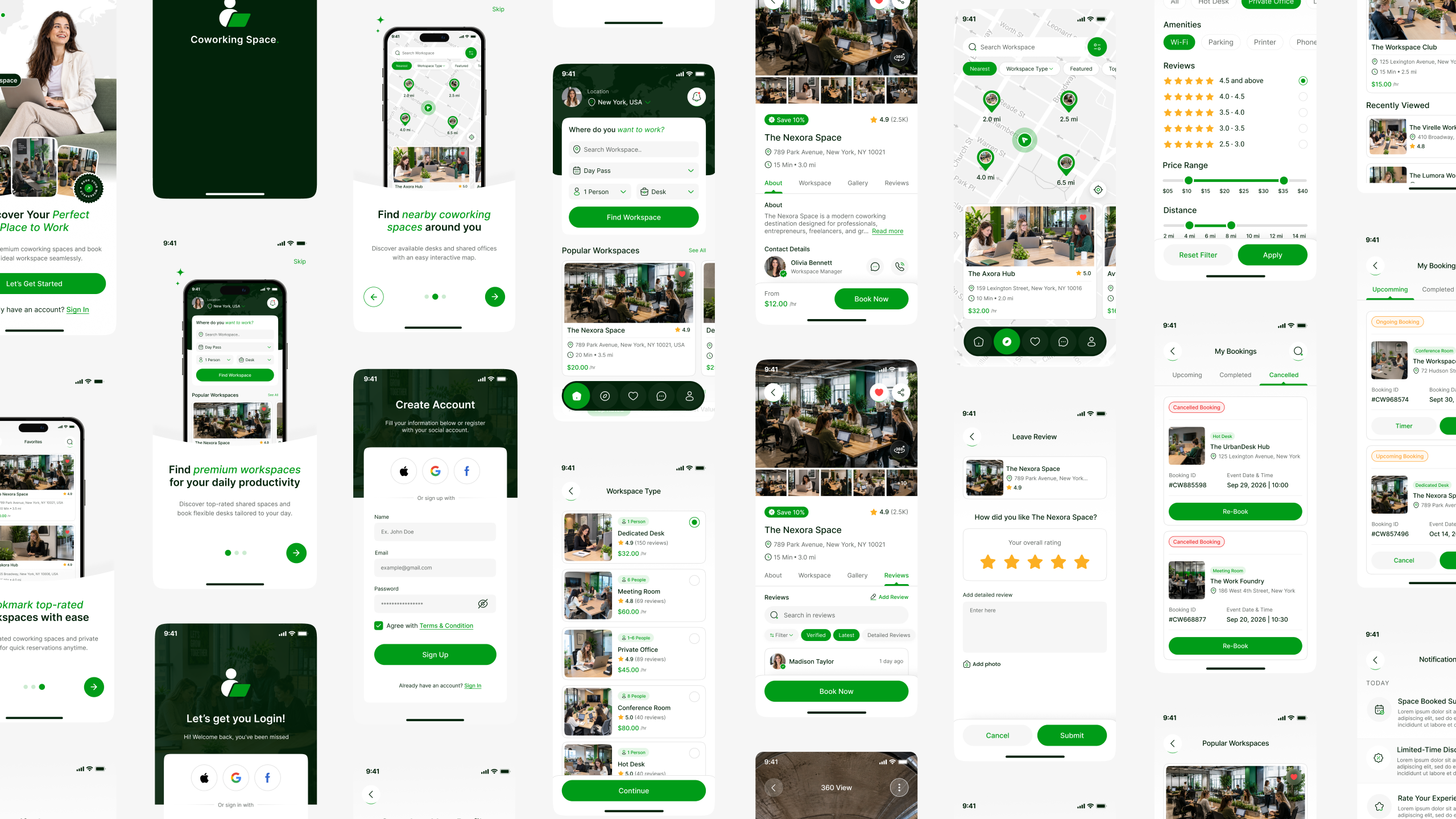


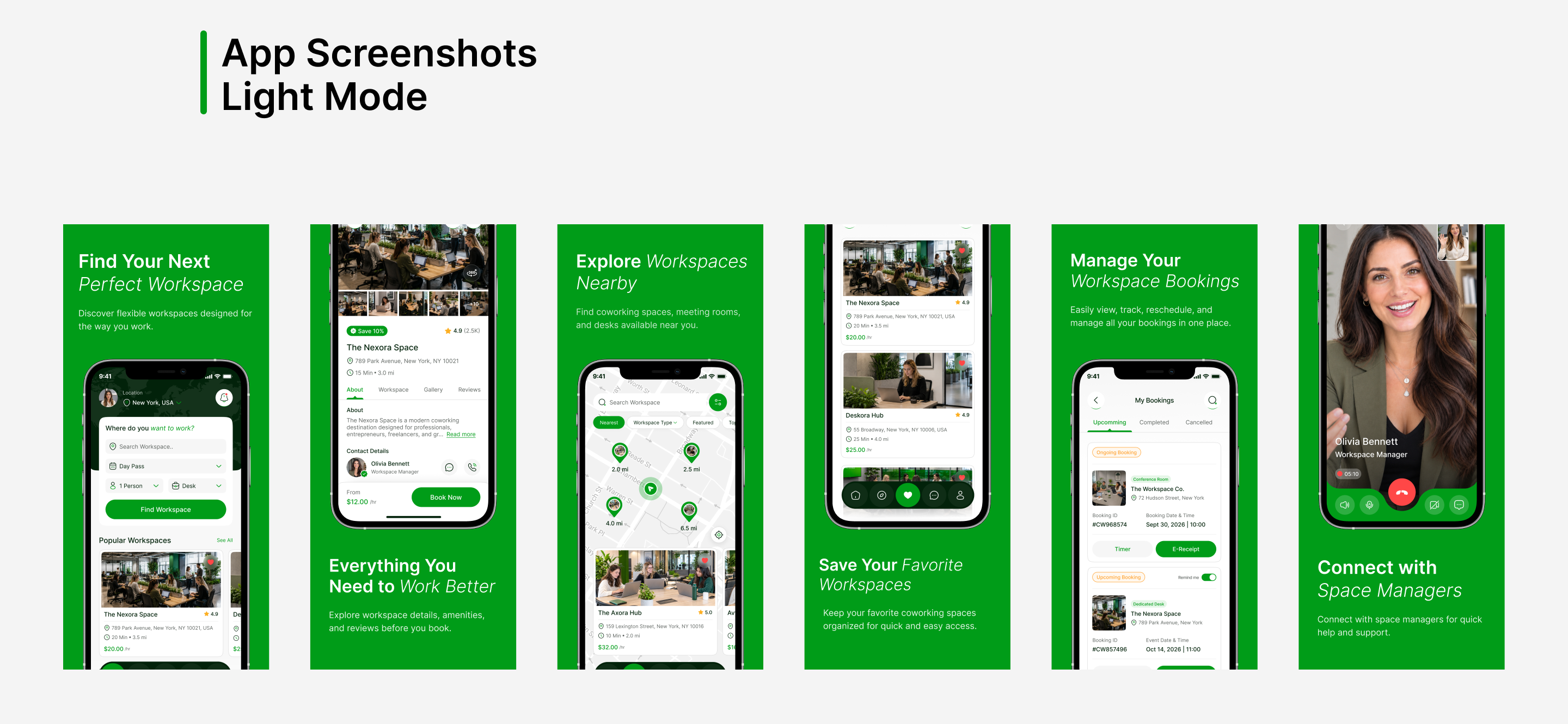
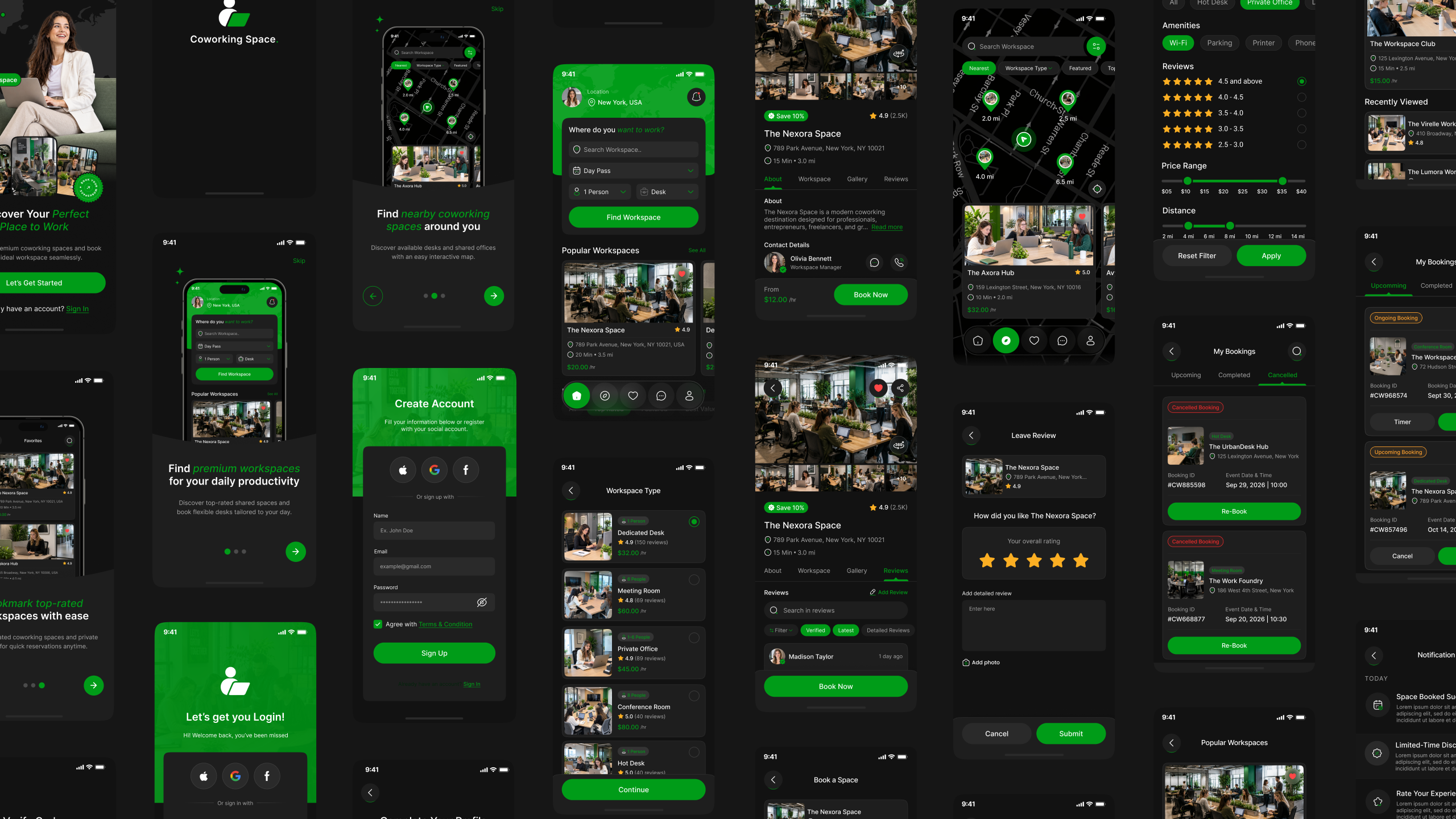
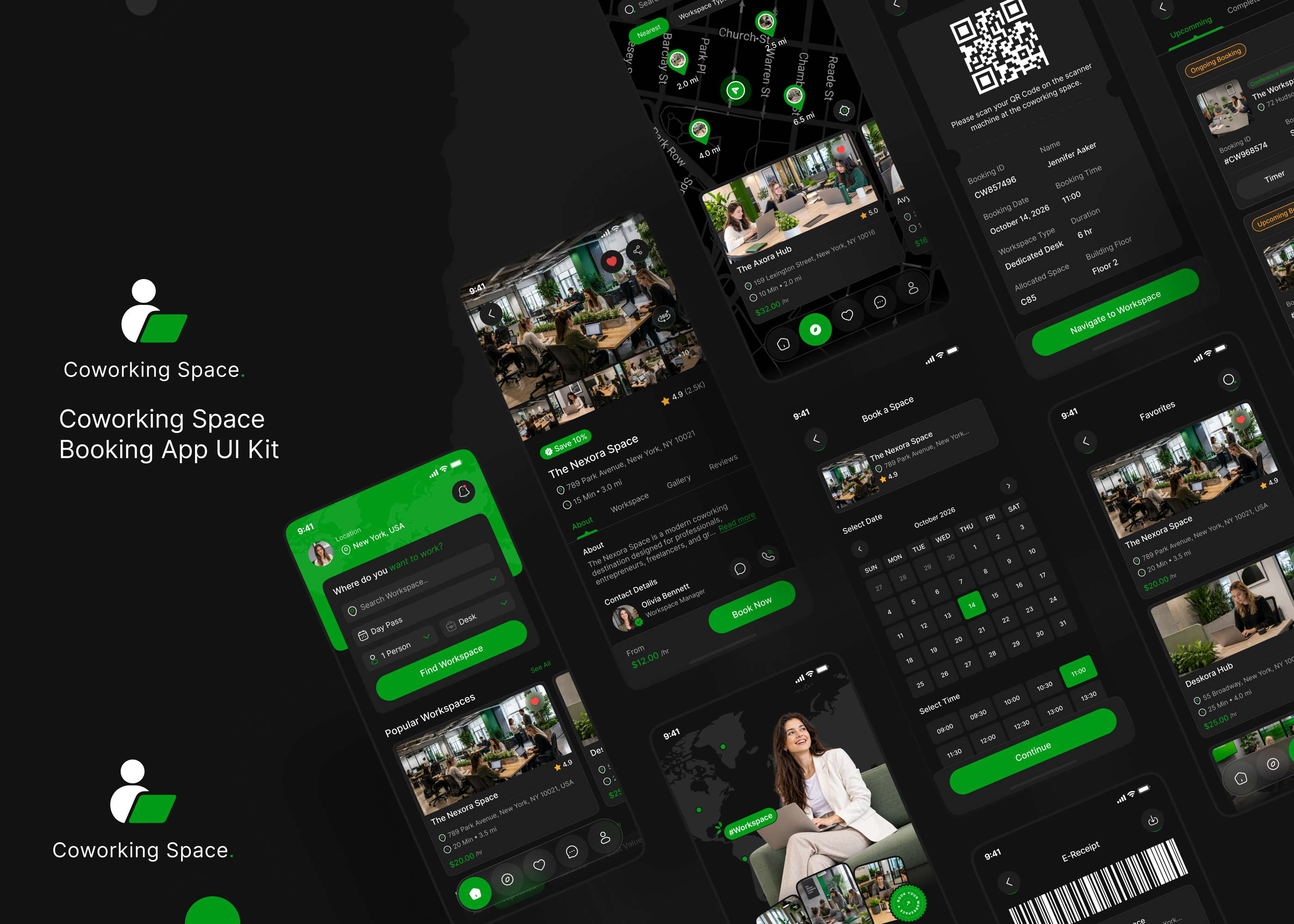

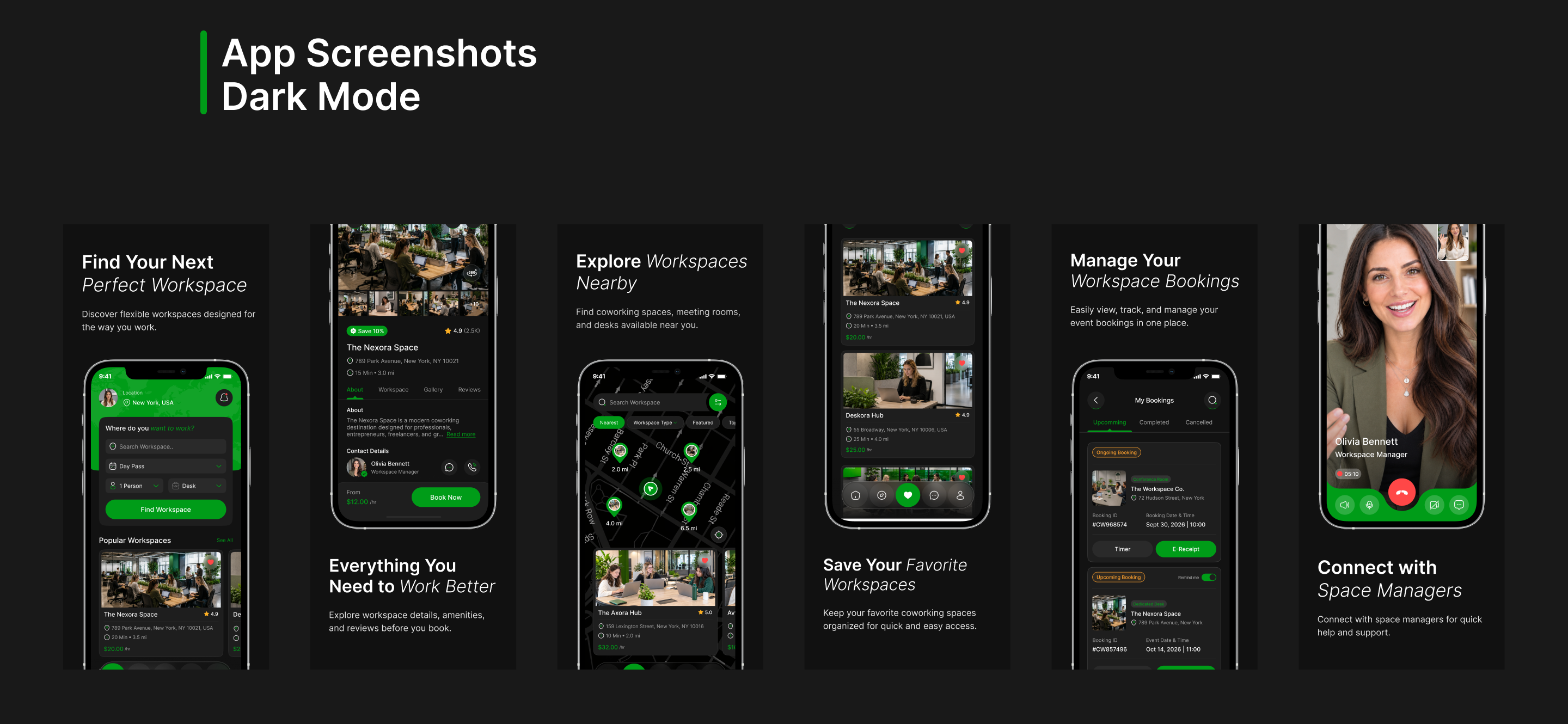

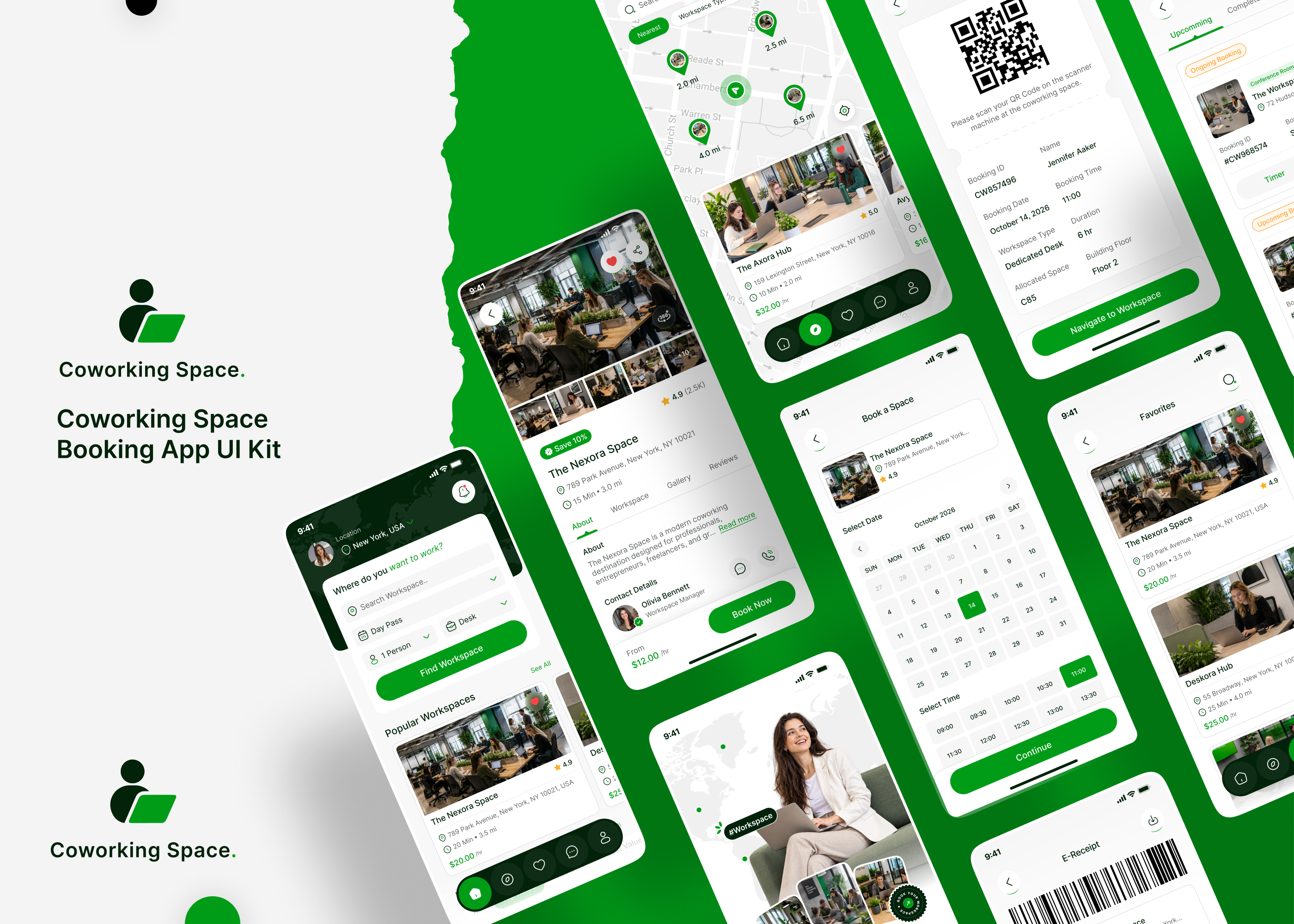
Create a modern and seamless workspace booking experience with our Coworking Space Booking Mobile App Figma UI Kit [60+ Screens]. This premium Coworking Space Booking App UI UX Design is perfect for coworking apps, desk booking apps, office booking platforms, workspace rental apps, and shared workspace solutions.
This complete Coworking Space Booking Mobile App UI Kit covers the full user journey, from onboarding and authentication to workspace discovery, space details, workspace selection, booking, payment, and booking management. Users can explore popular and nearby workspaces, dedicated desks, galleries, reviews, videos, 360° views, and workspace information.
The UI kit includes essential workspace booking features such as search, filters, date and time selection, workspace types, payment methods, booking summaries, coupons, e-tickets, QR codes, directions, favorites, notifications, booking history, cancellation, and booking extensions.
Additional screens include chat, voice call, video call, wallet, profile, settings, password manager, FAQ, customer support, privacy policy, invite friends, and logout.
Featuring both Light Mode and Dark Mode, this 60+ Screens Coworking Space Booking Mobile App Figma UI Kit provides a modern, scalable, and user-friendly foundation for designing professional coworking space booking and workspace reservation apps faster.
Coworking Space Booking App UI Kit Screen List:
- Splash Screen
- Welcome Screen
- Onboarding Screens
- Sign in, Create Account, Verify Code, New Password Screens
- Complete Your Profile, Your Location, Enter Your Location, Enable Notification Access Screens
- Home Screen
- Coworking Space Details – About Screen, Coworking Space Details – Workspace, Coworking Space Details – Gallery, Coworking Space Details – Gallery, Coworking Space Details – Review Screens
- Explore Screen
- Coworking Space Video, 360 View Screens
- Leave Review – Coworking Space Screen
- Select Workspace Type, Book a Space – Date and Time, Your Information, Payment Methods, Add Card Screens
- Review Summary, Payment Success Screens
- E-Ticket, QR Code – Workspace Screen
- Get Direction to Workspace, You Have Arrived! Screens
- Favorites, Remove from Favorites Screens
- Search, Search – Dedicated Desk, Filter Screens
- My Bookings – Upcoming, My Bookings – Completed, My Bookings – Cancelled Screens
- Notification Screen
- Cancel Booking Screen
- Popular Workspaces, Nearby Workspaces Screens
- Coupon Screen
- Space Timer, Extend Booking Time Screens
- Chat, Chat Detail, Video Call, Voice Call Screens
- Profile, Your Profile, Payment methods Setting, My Wallet, Add Money, Top Up Successful!, Settings, Password Manager, Help Center – FAQ, Help Center – Contact Us, Privacy Policy, Invite Friends, Logout Screens
Features of Coworking Space Booking Mobile App UI Kit:
- Modern Coworking Space UI Design: Clean, professional, and user-friendly mobile app design created for coworking booking apps, desk booking platforms, office rental apps, and workspace management solutions.
- Light & Dark Mode: Includes professionally designed Light and Dark themes for a flexible, modern, and visually engaging user experience.
- Complete User Onboarding: Includes splash, welcome, onboarding, sign in, account creation, verification code, new password, profile completion, location, and notification access screens.
- Workspace Discovery: Explore popular workspaces, nearby workspaces, dedicated desks, and different workspace options from one convenient platform.
- Coworking Space Details: View workspace information, available workspaces, galleries, reviews, videos, and immersive 360° views before making a booking.
- Easy Workspace Booking: Select a workspace type, choose your preferred date and time, enter your information, review booking details, and complete the reservation smoothly.
- Secure Payment Experience: Manage payment methods, add cards, review payment summaries, and complete bookings with a seamless payment flow.
- E-Ticket & QR Code: Access digital e-tickets and QR codes for quick and convenient workspace check-in.
- Location & Arrival: Get directions to your selected workspace and confirm your arrival for a smooth coworking experience.
- Favorites Management: Save favorite coworking spaces and easily manage or remove saved workspaces.
- Search & Smart Filters: Search for coworking spaces and dedicated desks while using filters to quickly find the right workspace.
- Booking Management: Manage upcoming, completed, and cancelled bookings from one convenient location.
- Workspace Reviews: Leave reviews and share your experience after using a coworking space.
- Coupons & Offers: Apply coupons and promotional offers during the workspace booking process.
- Space Timer & Extension: Track your active workspace session with a space timer and extend your booking time when needed.
- Real-Time Communication: Connect with workspace teams or organizers through chat, voice calls, and video calls.
- Profile & Wallet Management: Manage your profile, payment methods, wallet, add money, top-ups, settings, and password management.
- Notifications: Stay updated with booking information, workspace updates, reminders, and important notifications.
- Help & Customer Support: Includes FAQ, contact support, privacy policy, invite friends, and logout screens for a complete coworking app experience.
- 60+ Ready-to-Use Screens: A complete collection of professionally designed screens to help designers and developers create a modern, scalable, and user-friendly Coworking Space Booking Mobile App faster.
Benefits of Coworking Space Booking Mobile App UI Kit:
- Faster Design & Development: Ready-to-use coworking space booking app screens help speed up the UI/UX design process and reduce valuable design and development time.
- Complete Workspace Booking Journey: Covers the complete user experience from onboarding and account creation to workspace discovery, booking, payment, check-in, booking management, and profile settings.
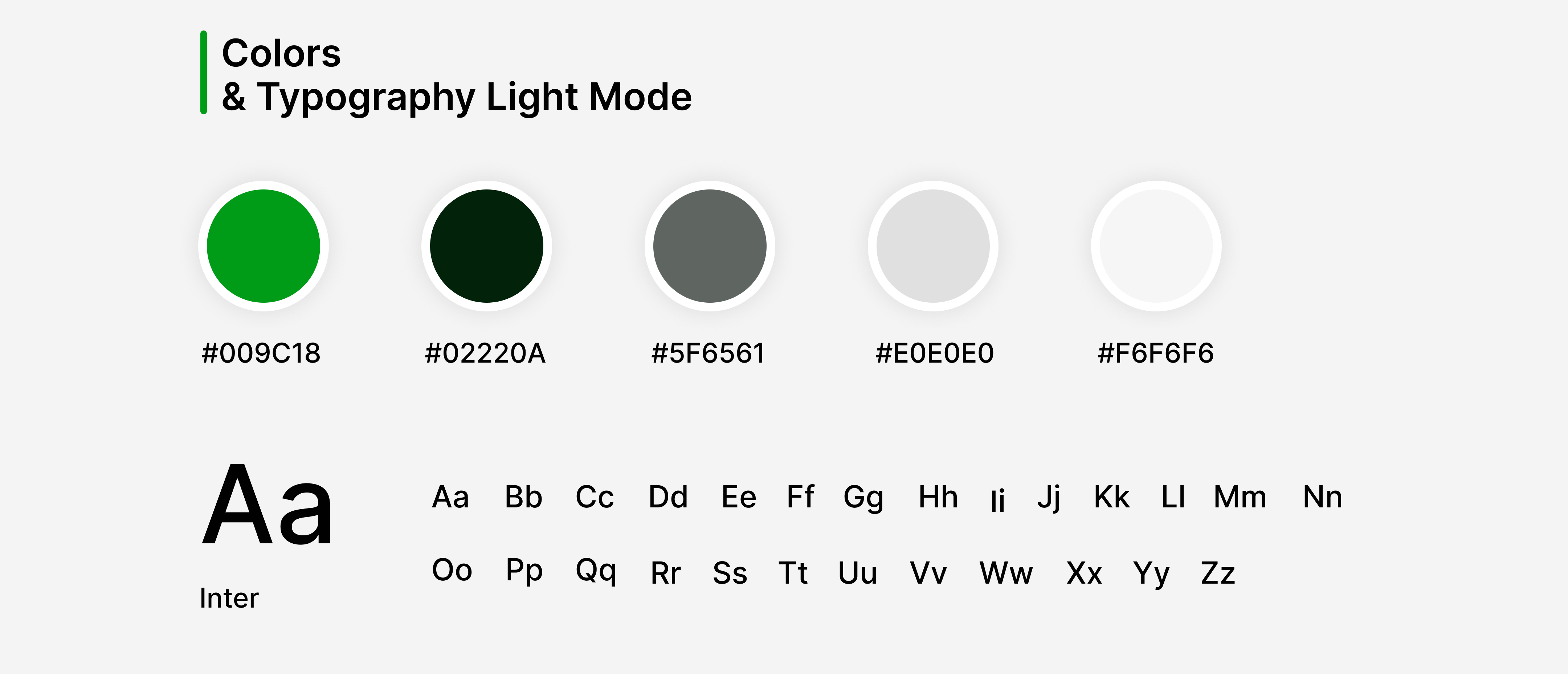
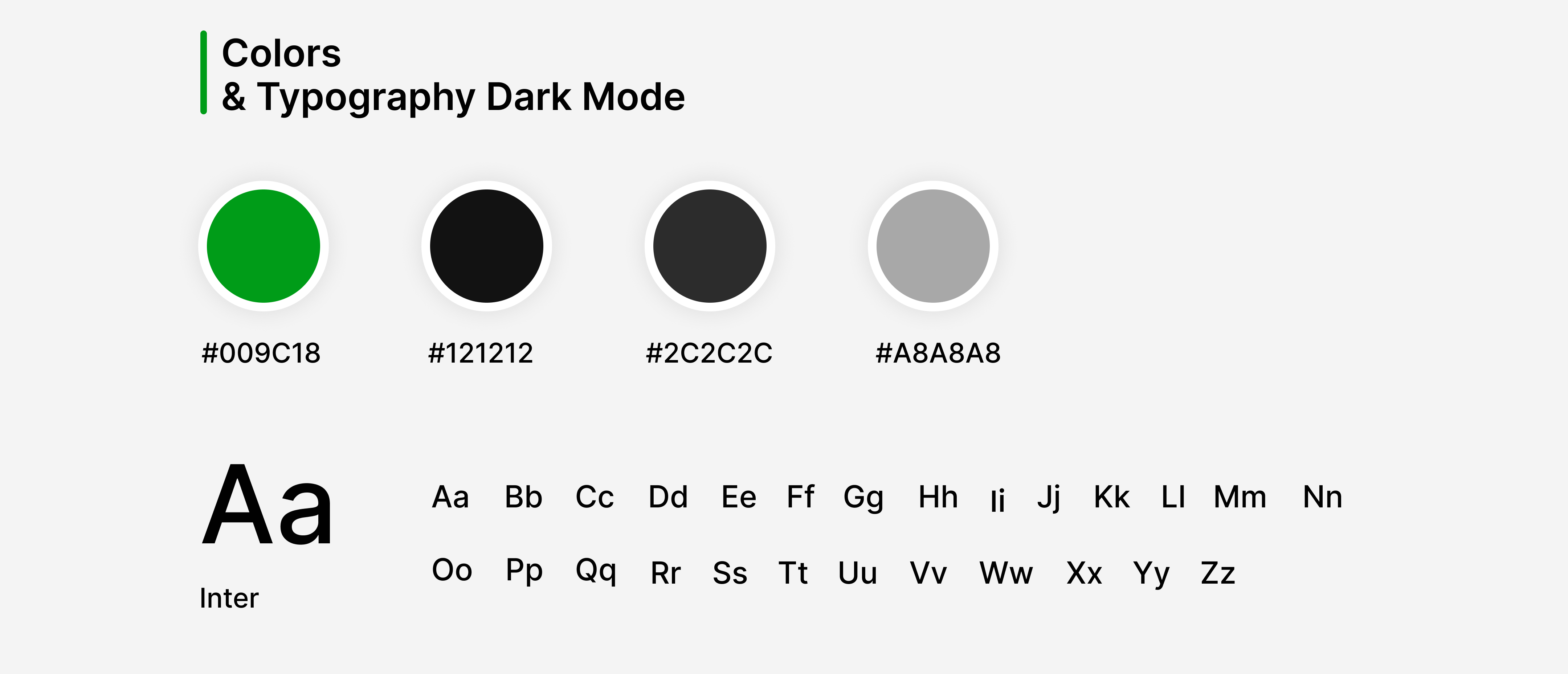
- Easy Customization: Fully editable Figma screens allow you to customize colors, typography, icons, layouts and branding to match your coworking platform or business.
- Enhanced User Experience: Clean layouts, intuitive navigation, and well-organized UX flows provide a smooth and convenient workspace discovery and booking experience.
- Smart Workspace Discovery: Home, Explore, Popular Workspaces, Nearby Workspaces, Search, Dedicated Desk Search, and Filters help users quickly find suitable coworking spaces.
- Detailed Coworking Space Experience: About, Workspace, Gallery, Review, Video, and 360° View screens provide users with detailed information before booking a workspace.
- Seamless Workspace Booking: Workspace type selection, date and time booking, user information, payment methods, review summary, and payment confirmation create a smooth reservation process.
- Secure Payment & Digital Access: Payment methods, card management, wallet, coupons, payment confirmation, e-tickets, and QR codes support a convenient workspace booking experience.
- Easy Check-In & Navigation: Get Direction and You Have Arrived screens help users navigate to their selected coworking space and complete their check-in journey.
- Complete Booking Management: Upcoming, Completed, Cancelled, and Cancel Booking screens allow users to easily manage their workspace reservations.
- Flexible Booking Experience: Space Timer and Extend Booking Time features help users manage active workspace sessions and extend bookings when required.
- Better User Engagement: Favorites, reviews, notifications, coupons, chat, voice calls, and video calls provide useful features for ongoing user engagement.
- Real-Time Communication: Chat, chat details, voice calls, and video calls make it easier for users to communicate with workspace organizers or support teams.
- Profile & Wallet Management: Users can manage their profile, payment methods, wallet, add money, top-ups, settings, password, and other account preferences.
- Customer Support: Help Center, FAQ, Contact Us, Privacy Policy, Invite Friends, and Logout screens provide a complete and professional app experience.
- Scalable Coworking Solution: Perfect for coworking space booking apps, desk booking platforms, office rental apps, shared workspace apps, flexible workspace platforms, and workspace management solutions.
- Professional Light & Dark Mode: Includes both Light Mode and Dark Mode designs, providing flexible UI options for modern coworking and workspace booking applications.
- Professional & Modern UI Design: Designed with modern UI/UX principles to deliver a clean, intuitive, scalable, and user-friendly coworking space booking experience.
- Cost-Effective Solution: Save valuable design and development time with professionally crafted 60+ Coworking Space Booking Mobile App Figma UI Screens ready for customization and implementation.
Benefits of Dark Mode for Coworking Space Booking Mobile App UI Kit:
- Modern & Premium Appearance: Gives your coworking space booking app a sleek, professional, and premium look while creating a strong and consistent brand experience.
- Enhanced Workspace Discovery: Creates an immersive experience for exploring popular workspaces, nearby workspaces, dedicated desks, coworking spaces, workspace types, galleries, videos, and 360° views.
- Reduced Eye Strain: Provides a more comfortable viewing experience during nighttime workspace searches, bookings, payments, and extended app usage.
- Better Workspace Presentation: Dark backgrounds help coworking space images, galleries, workspace information, reviews, videos, and 360° views stand out clearly.
- Improved Battery Efficiency: Dark interfaces can help reduce battery consumption on OLED and AMOLED devices, particularly during longer workspace browsing sessions.
- Higher User Engagement: An attractive Dark Mode interface encourages users to explore workspaces, view space details, check reviews, browse galleries, and make bookings.
- Better Readability & Accessibility: Clear contrast improves the visibility of workspace details, booking information, date and time selections, payment summaries, e-tickets, QR codes, notifications, and reviews.
- Premium Workspace Booking Experience: Creates a polished environment for discovering coworking spaces, selecting workspace types, booking dates and times, making payments, and managing reservations.
- Flexible User Preference: Includes both Light Mode and Dark Mode, allowing users to choose a viewing experience that suits their preferences and environment.
- Focus on Key Actions: Highlights important actions such as Explore Workspaces, View Space Details, Select Workspace, Book Now, Make Payment, Get Direction, Check In, and Leave a Review.
- Improved Booking Experience: Dark Mode provides a focused interface across workspace selection, date and time booking, user information, payment methods, booking summaries, e-tickets, and QR codes.
- Enhanced Communication Experience: Provides a polished interface for chat, chat details, voice calls, video calls, notifications, and communication with workspace organizers or support teams.
- Complete Workspace Management: Maintains a consistent dark interface across favorites, bookings, wallet, profile, settings, password management, help center, and customer support screens.
- Modern UI/UX Standards: Follows contemporary mobile design principles to deliver a polished, visually engaging, accessible, and user-friendly coworking space booking and workspace reservation experience.