
Get the Food Delivery App UI Kit Today and Build Your App Faster
Download Food Delivery App Ui Kit of 80+ Screens Figma File
Download Now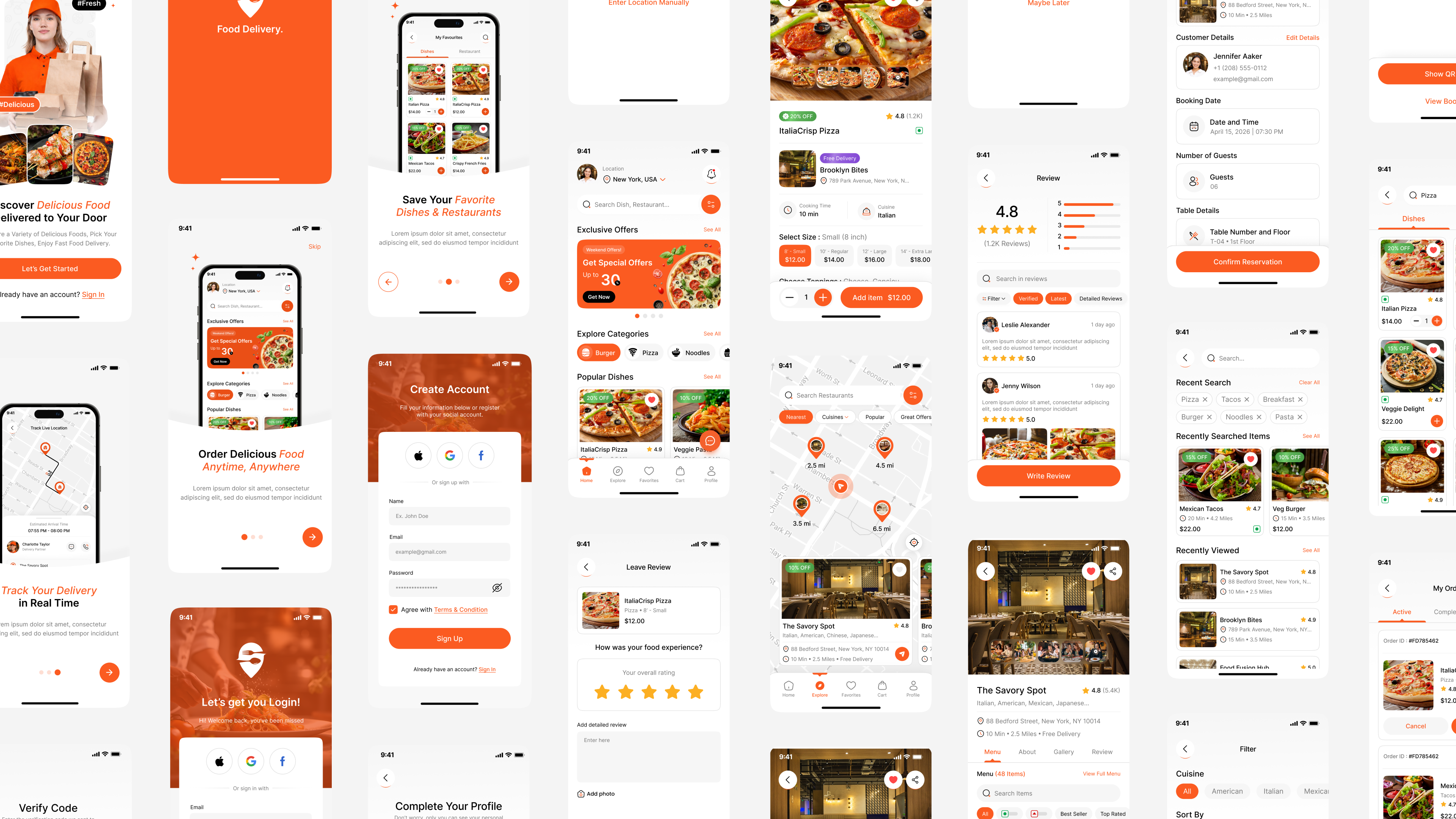


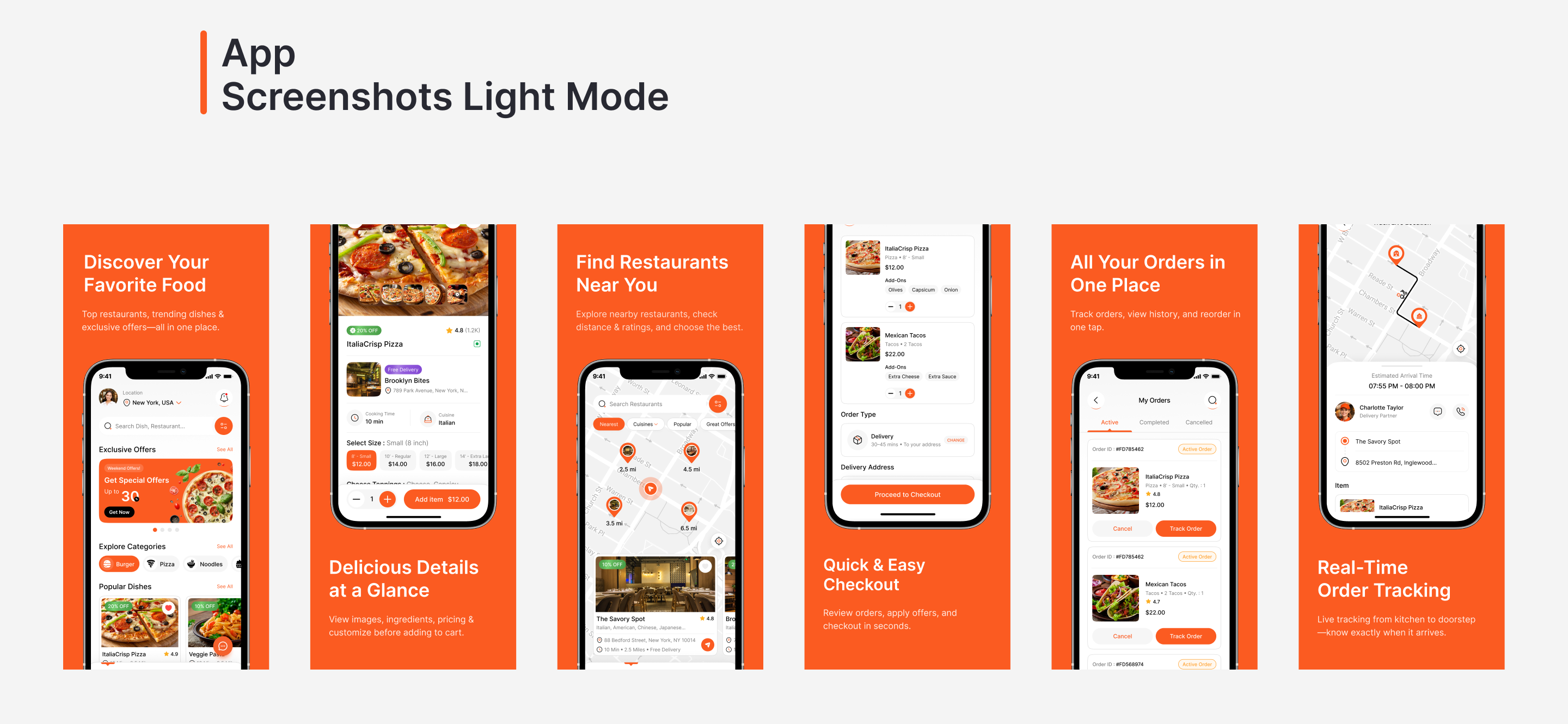
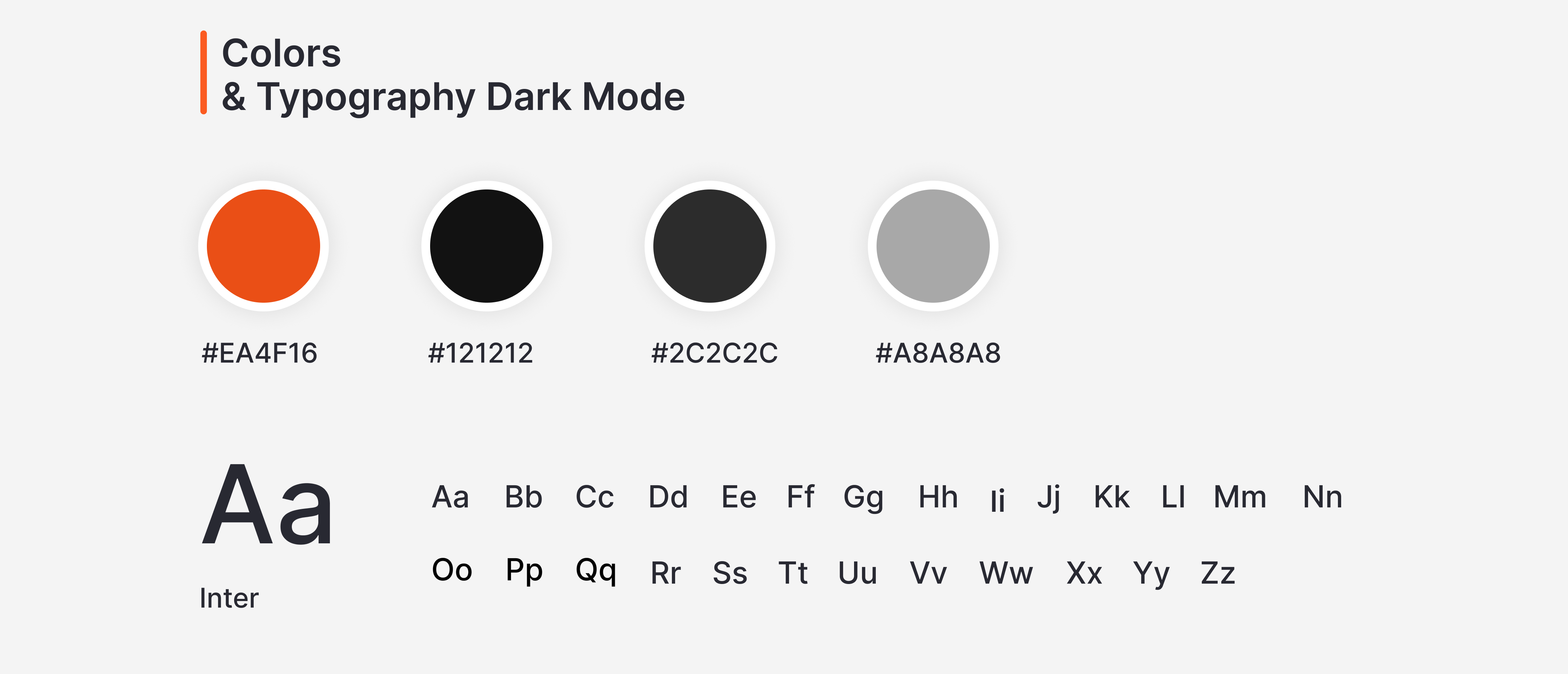
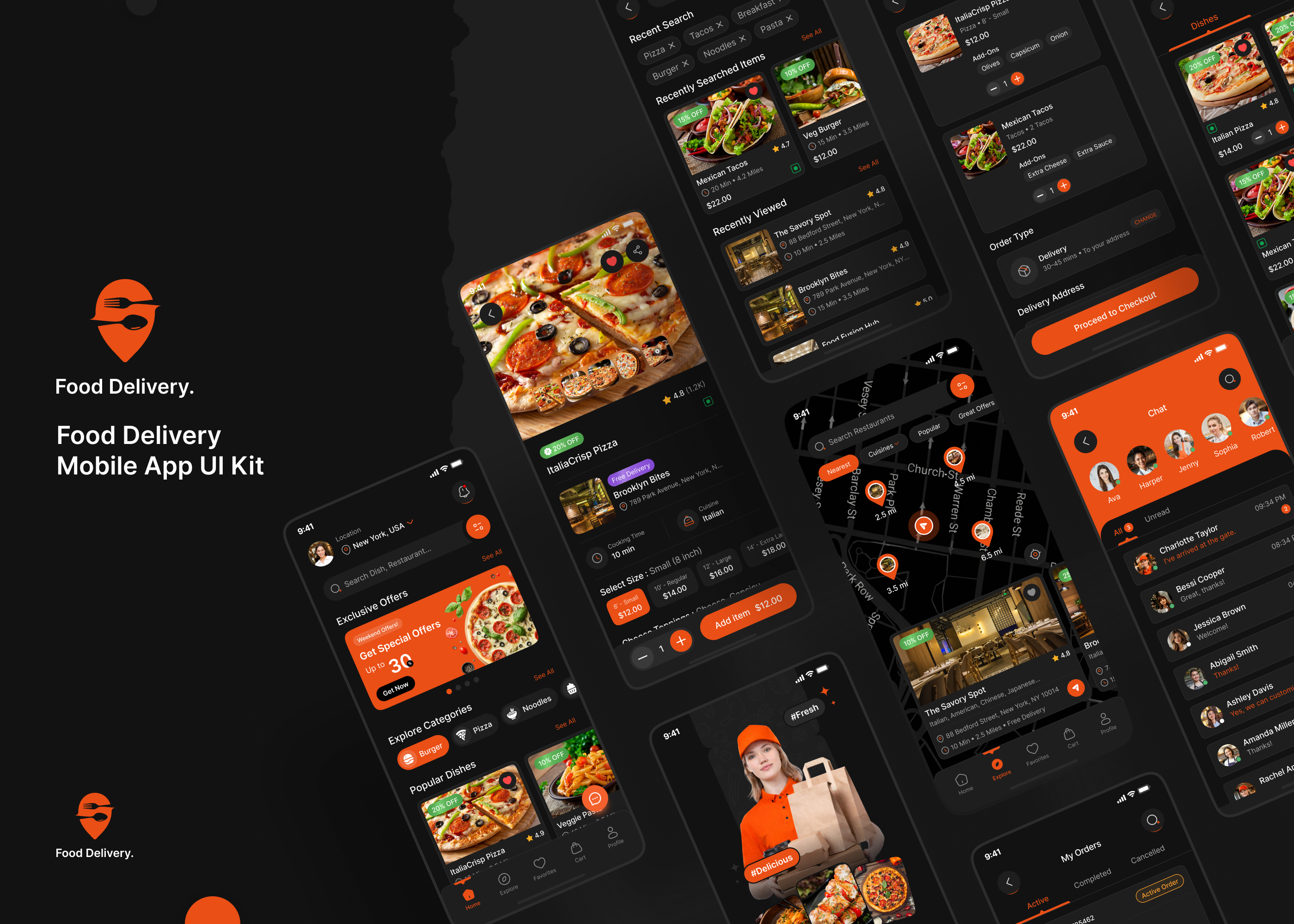
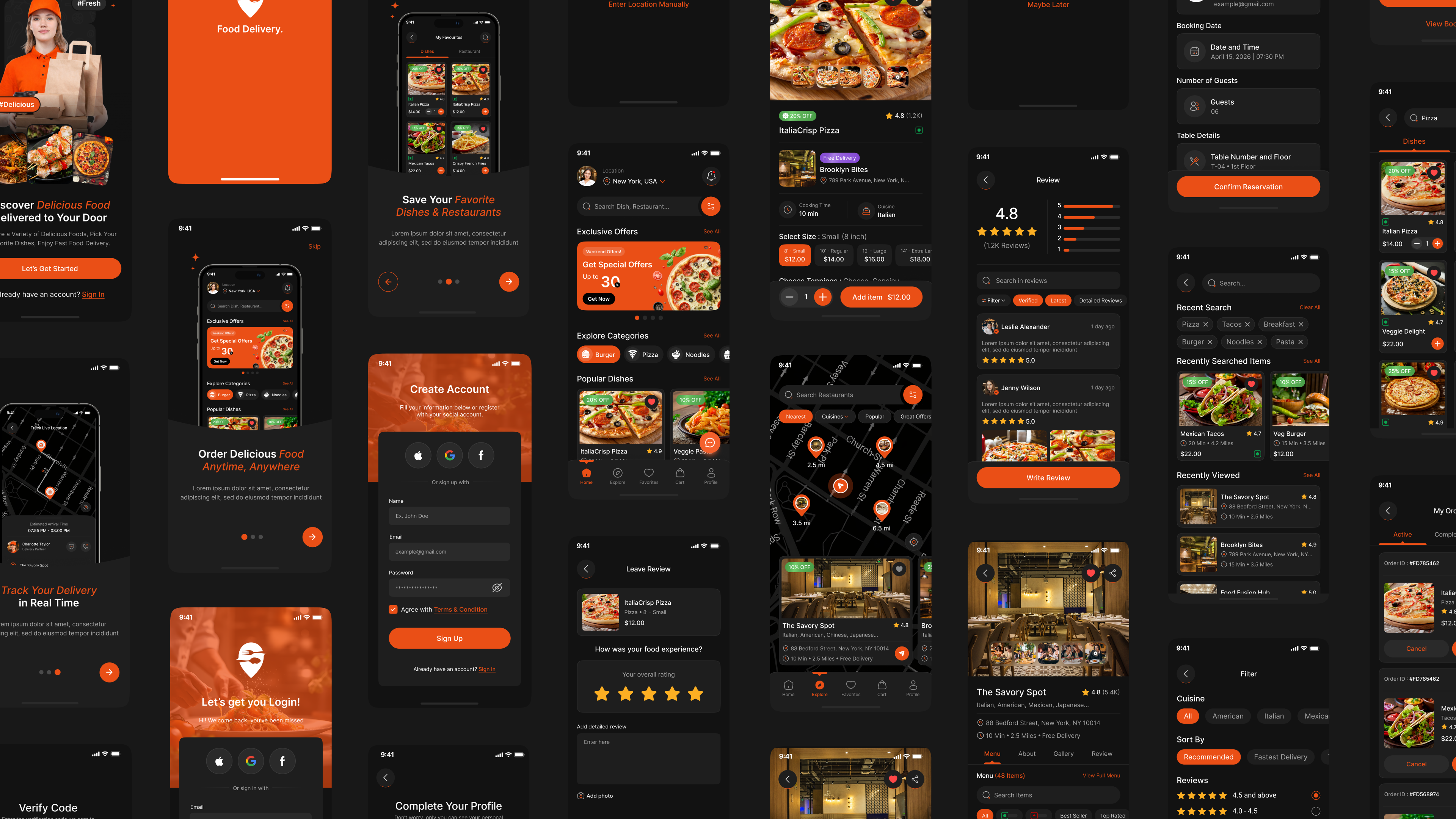


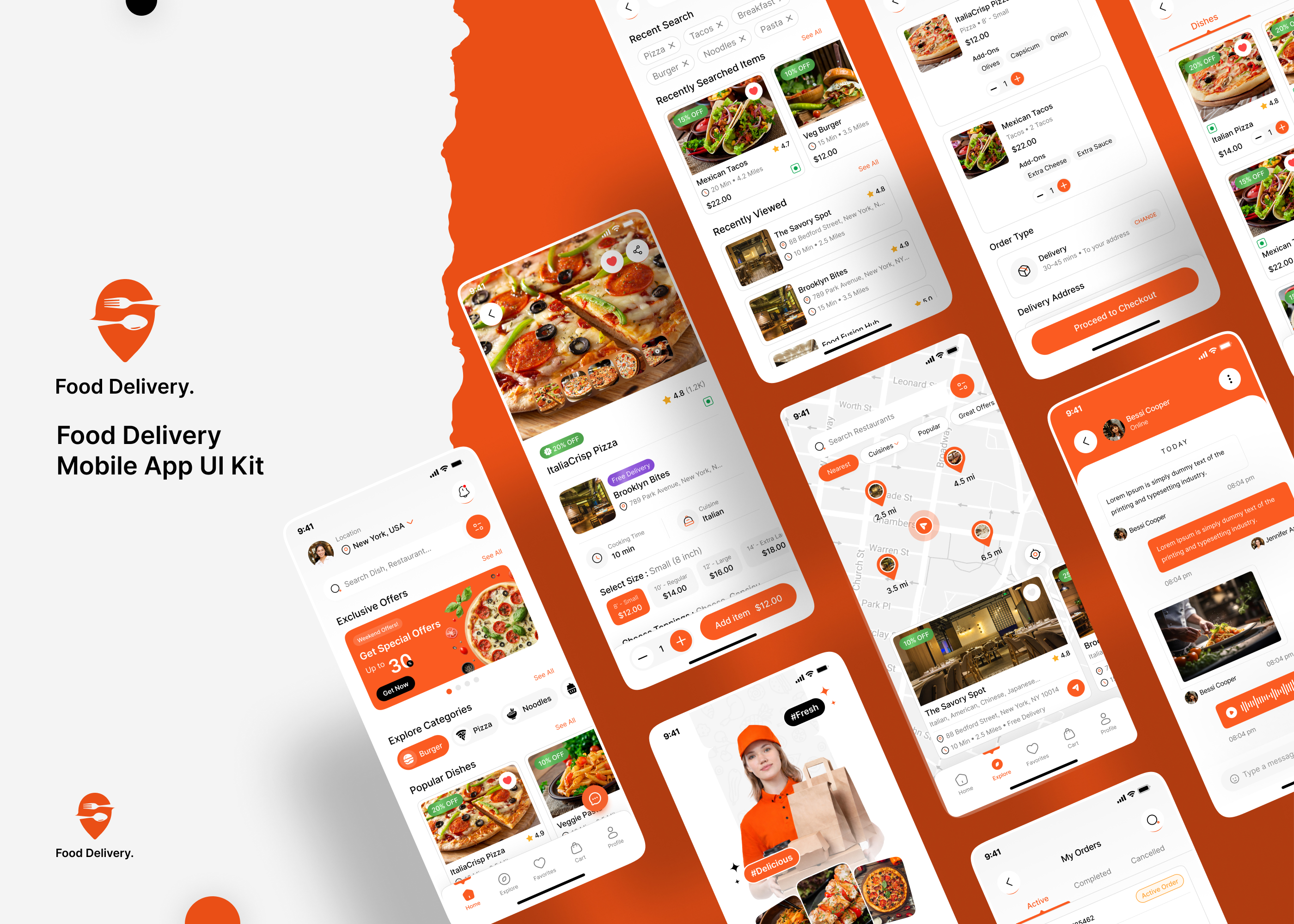
Build a modern and engaging food ordering experience with our Food Delivery Mobile App Figma UI Kit Design [80+ Screens]. Designed for food delivery startups, restaurants, cloud kitchens, takeaway services, and online ordering platforms, this premium UI kit includes beautifully crafted screens in both Light & Dark Mode to help you create a seamless user experience.
This comprehensive Food Delivery App UI Kit covers the complete customer journey, from onboarding and account creation to food discovery, checkout, order tracking, reservations, and profile management. Browse dishes and restaurants, explore detailed menus, manage carts, complete secure payments, and track orders in real time with ready-to-use Figma screens.
The kit also includes reviews and ratings, advanced search and filters, favourite items and restaurants, coupons, notifications, chat support, video calls, wallet management, and table reservation flows, making it a complete solution for designing modern restaurant and food delivery applications.
Food Delivery App UI Kit Screen List
- Splash Screen
- Welcome Screen
- Onboarding Screens
- Sign In, Create Account, Verify Code, New Password, Complete Your Profile
- Your Location, Enter Your Location, Enable Notification Access Screens
- Home Screen
- Item Details Screen
- Review, Leave Review Screens
- Explore Screen
- Restaurant Details – Menu, Restaurant Details – About, Restaurant Details – Gallery, Restaurant Details – Review Screens
- Leave Review – Restaurant
- Restaurant Video, Gallery Screens
- My Cart – Delivery, My Cart – Pickup, Remove from Cart, Pickup Time Screens
- Order Type, Delivery Address, Delivery Type, Payment Methods, Add Card Screens
- Review Summary, Payment Successful, E-Receipt Screens
- Book a Table Screen
- Review Summary, Reservation Confirmed!, QR Code – Restaurant Entry Screens
- Search, Search – Dishes, Search – Restaurant Screens
- Filter Screen
- My Order – Active, My Order – Completed, My Order – Cancelled Screens
- My Favourites – Dishes, My Favourites – Restaurant Screens
- Notification Screens
- Track Order, Track Live Location, Rate Delivery Partner Screens
- Coupon Screen
- My Booking – Upcoming, My Booking – Completed, My Booking – Cancelled Screens
- Get Direction, You Have Arrived Screens
- Cancel Booking Screen
- Chat, Chat Details, Video Call Screens
- Category Screen
- Exclusive Offers, Popular Dishes, Popular Restaurants Screens
- Profile, Your Profile, Manage Address, Add Address, Payment Methods, My Wallet, Add Money, Top Up Successful, Settings, Password Manager, Help Center -FAQ, Help Center – Contact Us, Privacy Policy, Invite Friends, Logout
Features of Food Delivery Mobile App UI Kit:
- Modern & Clean UI Design: Professionally designed food delivery experience with intuitive layouts and engaging visuals.
- Light & Dark Mode: Includes both Light and Dark themes for enhanced usability.
- Complete Onboarding Flow: Splash, onboarding, sign in, sign up, OTP verification, password recovery, and profile setup.
- Smart Food Discovery: Advanced search, filters, categories, popular dishes, and restaurant recommendations.
- Restaurant & Dish Details: Menu information, galleries, videos, reviews, and ratings.
- Easy Ordering Experience: Cart management, delivery and pickup options, checkout, and order summaries.
- Secure Payments: Multiple payment methods, card management, payment success screens, and e-receipts.
- Real-Time Order Tracking: Live order status, delivery tracking, and delivery partner ratings.
- Table Reservations: Restaurant booking, confirmations, QR entry, and booking management.
- Favorites & Coupons: Save favorite dishes and restaurants while accessing exclusive offers and discounts.
- Chat & Video Support: In-app messaging and video call screens for customer assistance.
- Notifications & Alerts: Order updates, payment confirmations, and promotional notifications.
- Wallet & Profile Management: Manage wallets, addresses, account settings, and security.
- Help Center: FAQ, contact support, and privacy policy screens.
- Developer-Friendly Design: Auto Layout, reusable components, and well-organized Figma files.
Benefits of Food Delivery Mobile App UI Kit:
- Faster Design & Development: Ready-to-use food delivery screens help speed up the design process and reduce development time.
- Improved User Engagement: Modern, intuitive interfaces encourage users to explore dishes, restaurants, and exclusive offers.
- Optimized Ordering Experience: Streamlined cart, checkout, payment, and tracking flows help increase order completion rates and reduce drop-offs.
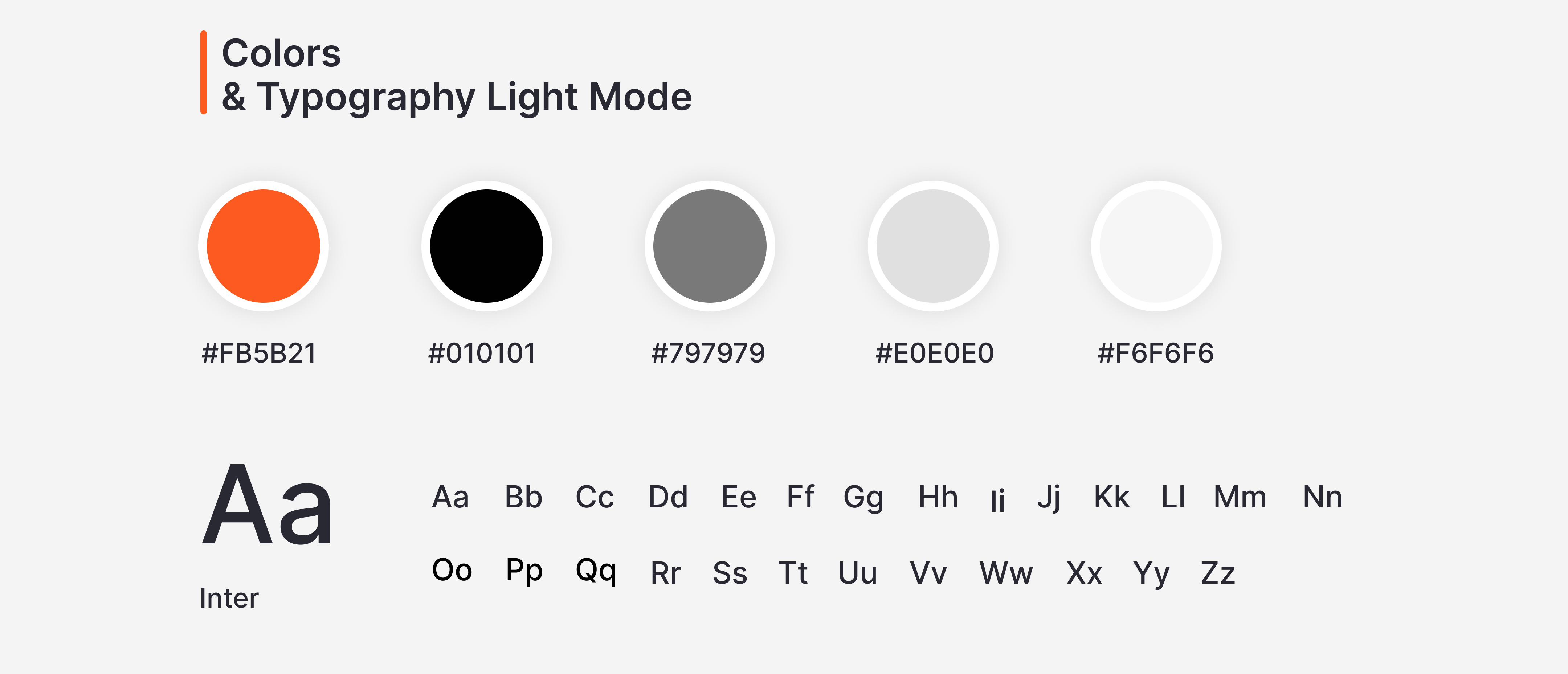
- Easy Customization: Fully editable Figma files allow you to customize colors, typography, and branding to match your project.
- Enhanced User Experience: Carefully designed UX patterns improve navigation, accessibility, and overall customer satisfaction.
- Supports Delivery & Dine-In: Flexible workflows support food delivery, pickup orders, and restaurant table reservations.
- Better Customer Communication: Integrated chat and video call screens improve customer support and restaurant interactions.
- Boosts Customer Retention: Features like favourites, coupons, wallets, notifications, and offers encourage repeat orders and long-term engagement.
- Scalable Food Ordering Solution: Ideal for food delivery apps, restaurant platforms, cloud kitchens, takeaway services, and multi-vendor marketplaces.
- Professional & Modern Design: Built using current UI/UX best practices to create a visually appealing and trustworthy experience.
- Cost-Effective Solution: Save valuable time, effort, and development costs with professionally designed screens ready for implementation.
Benefits of Dark Mode for Food Delivery Apps
- Enhanced Visual Appeal: Gives your food delivery app a modern, premium, and sophisticated look that elevates the overall brand experience.
- Improved Food Browsing Experience: Creates an immersive environment that allows users to comfortably explore dishes, restaurants, and exclusive offers.
- Reduced Eye Strain: Provides a more comfortable viewing experience during nighttime use and extended browsing sessions.
- Better Food Presentation: Dark backgrounds help food images, restaurant details, and promotional content stand out more effectively.
- Improved Battery Efficiency: Helps conserve battery life on OLED and AMOLED devices, enabling longer app usage.
- Higher User Engagement: Visually appealing interfaces encourage users to discover more dishes, restaurants, and deals.
- Better Readability & Accessibility: Enhanced contrast improves the visibility of menus, prices, order details, and important information.
- Professional Dining Experience: Creates a refined and premium digital experience that strengthens customer trust and satisfaction.
- User-Preferred Design Choice: Gives users the flexibility to choose their preferred viewing mode while aligning with modern design trends.
- Improved Focus on Key Actions: Highlights important actions such as ordering food, making payments, tracking deliveries, and reserving tables.
- Modern UI/UX Standards: Follows the latest mobile app design practices to deliver a polished and user-friendly food ordering experience.